AI Helpdesk Automation: Resolve 60% of IT Tickets Without Hiring
AI IT helpdesk automation deflects 60% of tier-1 tickets, cuts MTTR, and removes hiring pressure on stretched teams. Here is the 90-day rollout playbook.
What happens when your service desk queue grows 18% every quarter but your hiring budget froze last year? That is the question AI IT helpdesk automation answers, and it is now an operations decision, not an experiment. Tier-1 ticket deflection above 30% in year one, MTTR reductions north of 40%, and analyst hours redirected to higher-value work are inside reach for any 500-seat firm willing to wire AI infrastructure into its existing IT service management (ITSM) stack. Mature deployments reach 55 to 60% deflection by month 18 to 24, per ServiceNow's 2024 ITSM benchmark data. The economics break in the CFO's favor inside 90 days. Here is the playbook.
Why IT ticket volume keeps growing while headcount stays flat
Ticket inflation is structural, not cyclical: the median 500-seat firm now runs 187 SaaS apps, up from 110 in 2019, while IT operations budgets have held flat or shrunk in real terms since 2022. That gap between surface-area growth and staffing capacity is why the queue grows faster than analysts can clear it.
Three forces drive the curve. First, application count: each of those 187 tools generates its own ticket pattern, including access requests, sync errors, and billing flags. Second, expectation drift: hybrid workers expect 24/7 self-service, not "open a ticket and wait." Third, attrition: tier-1 analyst turnover sits between 30% and 45% annually, meaning institutional knowledge bleeds out before any automation effort can capture it.
HDI's 2023 Support Center Practices report puts the fully loaded cost of an analyst-handled ticket at $15.56. At 8,000 tickets per month, that is $124,480 burned on work that, in many categories, no longer requires a human. Standards Australia's adoption of ISO/IEC 20000-1:2020 describes the same pattern at the governance level: automated handling of repetitive ticket categories is now a service-quality baseline, not an aspirational improvement. For deeper background on the cost-per-ticket math, see our breakdown in the IT service desk cost benchmark.
For a closer look at this, see AI customer support automation: cut support volume 40% without hiring.
Which ticket categories AI IT helpdesk automation can resolve safely
AI IT helpdesk automation handles the repetitive, low-judgment work that makes up 40 to 55% of tier-1 volume: password resets, lockout clearing, software installs, group membership requests, MFA re-enrollments, and status checks. Anything involving regulated data, hardware diagnostics, or active security investigation should still route to a human analyst with full context attached.
The safe zone is the deterministic tail of your category histogram. Your top five repeating buckets are password and credential resets, software provisioning, access requests for shared drives or SaaS apps, peripheral configuration for printers and headsets, and status checks like "is the VPN down?" Each one has stable inputs, stable outputs, and a low error cost when the system gets it wrong, because the user simply escalates.
Higher-judgment categories should stay with humans. Anything touching financial data, HR records, or active security incidents needs an analyst because the cost of a wrong answer is real. CSIRO Data61 research on responsible AI deployment describes the same risk envelope: low-stakes deterministic tasks belong to automation, high-stakes ambiguous tasks belong to humans with the AI offering draft context.

How AI IT helpdesk automation works inside ITSM platforms
AI IT helpdesk automation runs as three connected layers on top of your ITSM platform: intent classification, knowledge retrieval, and action execution. The intent layer reads the ticket. The retrieval layer finds the relevant runbook. The execution layer resolves the request through a connected API in under 2 minutes or routes a draft response to an analyst for one-click approval.
Modern deployments such as ServiceNow Now Assist, Freshservice Freddy, Jira Service Management Atlassian Intelligence, and Zendesk AI all share this architecture. A user submits a ticket through the portal, email, Slack, Teams, or phone. A classifier model assigns it to a category and confidence score. If confidence is above the threshold (typically 0.85) and the category is on the auto-resolve list, an agent runs the runbook: query Active Directory, reset the password, send the user a confirmation with a link to verify. If confidence is lower, the system attaches a draft response and routes to a human, who approves or edits in one click. Every action the system takes writes back to the ITSM audit trail with a timestamp, the confidence score at the time of decision, and the runbook version used. This matters for compliance teams and service managers: you get a verifiable log of every automated resolution without any extra instrumentation.
This is what separates AI infrastructure from a wrapper around a chatbot. The system has read-write access to your identity provider, your endpoint management platform, and your knowledge base. It is wired into the same workflow engine your analysts use. Canstar Blue's 2025 review of managed IT services notes that organisations running mature ITSM automation now deflect 30 to 40% of tier-1 tickets before they reach a human queue. For a deeper distinction between an AI system and a thin wrapper, see AI infrastructure versus wrappers.
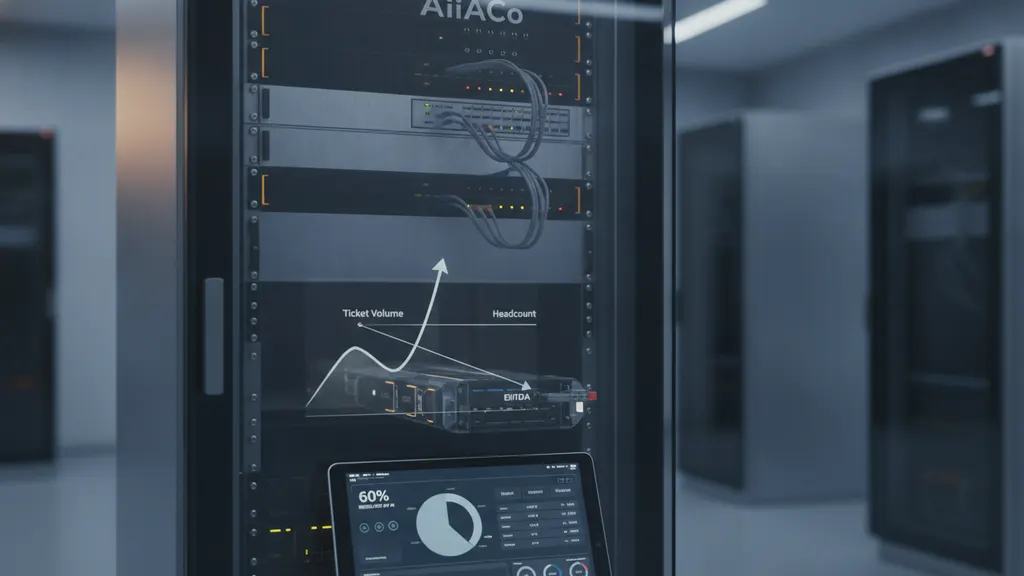
The interface stays familiar; the work behind it changes. Users still type "I forgot my password" into the same chat window. The difference is that the answer arrives in under a minute instead of after a two-hour SLA.
A 90-day rollout plan for AI IT helpdesk automation at 500 seats
A 90-day rollout for AI IT helpdesk automation breaks into three 30-day phases: discovery and category baseline, deployment on two safe categories, and expansion plus tuning. The first month produces no deflection; the second hits 10 to 15%; the third reaches 30%+ if your baseline data is clean.
In a Q3 2025 deployment at a 650-seat logistics operator, discovery month surfaced four categories covering 49% of ticket volume; by day 87, three categories were live and deflection had reached 38%.
Discovery (days 1-30). Pull 12 months of ticket history. Cluster by category, resolution time, escalation rate, and reopen rate. Identify the top five categories by volume that also score low on resolution complexity. This is your auto-resolve target list. Map each one to the system of record that holds the actual fix: Active Directory for password resets, Okta or Azure AD for MFA, Jamf or Intune for software installs. Document the runbook each analyst follows today. Without this, your AI system has nothing to learn from.
Deployment (days 31-60). Wire two categories, typically password resets and lockout clearing, into the auto-resolve pipeline. Set the confidence threshold high (0.90). Run the system in shadow mode for the first week: it generates a response, the analyst still handles the ticket, you compare outcomes. Promote to active mode in week two. Monitor reopen rate daily.
Expansion (days 61-90). Add three more categories. Lower the confidence threshold to 0.85 on stable categories. Build a feedback loop where analysts flag bad responses, retrain weekly. Publish deflection metrics to leadership every Friday so the CFO sees the line move. Full step-by-step in the 90-day ITSM rollout checklist.
| Phase | Window | Outcome target | Risk control |
|---|---|---|---|
| Discovery | Days 1-30 | Top 5 categories identified, runbooks documented | No live system changes |
| Deployment | Days 31-60 | Shadow mode then active on 2 categories | Confidence 0.90, daily reopen review |
| Expansion | Days 61-90 | 5 categories live, 30%+ deflection | Weekly retraining, analyst feedback loop |
How to measure deflection, MTTR, and agent satisfaction after deployment
Four KPIs decide whether your AI IT helpdesk automation deployment is working: deflection rate (benchmark 30 to 40% in year one), mean time to resolve (MTTR), reopen rate (target below 5%), and analyst Net Promoter Score. Track each weekly for the first quarter, monthly after. Without all four, you improve one number at the cost of another.
Deflection rate is the percentage of tickets resolved without human touch. MTTR drops sharply on auto-resolved categories, falling from 4 hours to under 2 minutes in many cases. But watch the human queue: if MTTR rises for the tickets that still need analysts, the system is sending the wrong ones to humans. Reopen rate flags wrong answers: the AI closed the ticket but the user came back. Analyst NPS captures whether the team feels supported or replaced.
Report these to the CFO in dollar terms, not in percentages. Deflected tickets multiplied by the $15.56 HDI cost-per-ticket gives a hard number. For a 500-seat firm running 8,000 tickets a month, 30% deflection equals $44,812 in avoided analyst-hour cost per month. That is the line item that justifies the budget. Atlassian's IT service management research documents the same compounding pattern: organisations that automate tier-1 request categories reduce analyst-hour cost and infrastructure overhead from duplicate query processing in the same reporting period.

The team conversation matters too. Analyst NPS often rises after rollout because the queue moves from "drowning in resets" to "working tickets that need thinking." When NPS drops instead, the cause is usually that the system is sending too many low-confidence tickets to humans with poor draft responses. Retrain the classifier.
Frequently asked questions
How long until AI IT helpdesk automation pays for itself?
Most 500-seat deployments break even between months 4 and 6. A $40,000 to $80,000 first-year platform spend, including integration consulting, gets recovered when monthly deflection passes roughly 25% on a queue of 6,000+ tickets at HDI's reported $15.56 cost per ticket. Faster payback is achievable in high-volume environments such as financial services back office, healthcare administration, or large retail head offices where ticket counts run above 12,000 per month. Slower payback occurs in firms with unusual category mixes or weak baseline data. ISO/IEC 20000-1:2020 compliance scoping, per our 2026 ITSM platform comparison, can add 4 to 6 weeks before live deployment in regulated industries.
Will AI IT helpdesk automation replace our tier-1 analysts?
No. It removes 30 to 40% of repetitive work from their queue. The teams that succeed redirect those recovered hours toward tier-2 escalation handling, knowledge base authoring, and proactive monitoring. Headcount stays flat or grows slightly because expanded scope, including more applications, more endpoints, and continued hybrid work, absorbs the recovered capacity. Gartner's 2024 IT service management forecast shows the same pattern across enterprise rollouts. The job changes shape: fewer password resets, more incident triage and security hygiene. CSIRO Data61's responsible AI framework treats this as a redeployment outcome when paired with a published reskilling plan.
Which ITSM platform should we run AI IT helpdesk automation on?
Pick the platform you already use. ServiceNow, Freshservice, Jira Service Management, Zendesk, and Atera all ship native AI features in 2025-2026 releases. Switching platforms to chase a feature adds 6 to 9 months of integration debt that erases most of the gain. The exception is firms still running email-only or homegrown ticketing systems; these need a platform migration first because the AI layer needs structured intent data to function. The Australian managed-services market reviews referenced earlier show the platform field has stabilized around the same five players for mid-market deployments.
What is the biggest reason AI IT helpdesk automation deployments fail?
Bad baseline data. The classifier learns from your historical tickets. If categories are inconsistent, escalation paths undocumented, or runbooks live in analyst heads instead of the knowledge base, the AI system has nothing to learn from and will misroute or misanswer. Phase one of any rollout, the discovery month, exists to fix exactly this. Skip it and deflection stalls at 10 to 15% instead of the 30 to 40% benchmark. The second-largest failure mode is confidence threshold mismanagement: too low ships wrong answers to users, too high produces minimal deflection. Australian product safety governance principles apply to AI products the same way: define the failure mode before you ship.